
How To Store Silver Coins And Bullion Safely
Learn how to store silver coins and bullion safely, including tips for handling, organizing, documenting, and protecting silver at home or in secure storage.
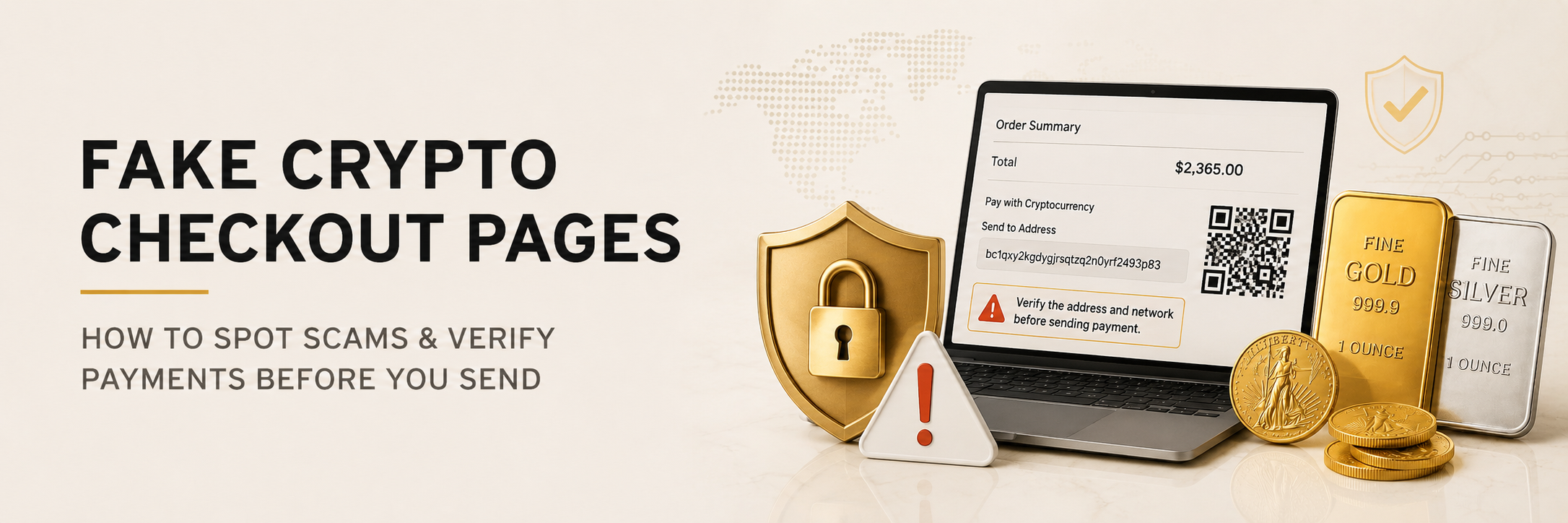
Fake crypto checkout pages are scam payment pages that imitate real merchants, invoices, or payment processors so buyers send crypto to the wrong wallet address. To reduce risk, verify the website URL, use only trusted checkout links, confirm payment addresses carefully, watch for copied-address swaps, avoid urgent messages, and contact the merchant directly if anything looks suspicious.
A fake crypto checkout page does not need to look sloppy to be dangerous. Some of the most effective scams look professional, load quickly, display a convincing order total, and show a clean QR code. The only problem is that the payment address belongs to a criminal.
That is what makes fake crypto checkout pages so dangerous. The buyer believes they are paying a real merchant, but the crypto is sent somewhere else. With credit cards, there may be a dispute process. With crypto, the transaction is usually final once it is sent and confirmed.
This matters for anyone buying physical gold, silver, or other high-value goods with Bitcoin, Ethereum, Monero, stablecoins, or another cryptocurrency. Crypto checkout can be fast and useful, but it also demands more attention from the buyer. Before you send funds, you need to confirm that the page, address, asset, network, and order details all match.
The goal is not to make crypto feel intimidating. The goal is to build a simple habit: pause, verify, then send.
Fake crypto checkout pages are fraudulent payment pages designed to imitate a real merchant, invoice, crypto processor, wallet prompt, or payment portal. They often copy logos, colors, product descriptions, countdown timers, and support chat widgets to look legitimate.
The scammer’s goal is simple. They want you to send crypto to their wallet while believing you are paying a real business. Sometimes the entire website is fake. Other times, the scam happens through a fake invoice, a copied payment page, a malicious ad, or a fraudulent support message.
A fake checkout page may claim you are paying for gold, silver, electronics, tickets, software, or an investment opportunity. The product can change. The scam structure is the same: create trust, create urgency, then push the buyer to send funds before they notice the warning signs.
Ethereum’s official security page explains common warning signs for crypto scams and phishing attempts.
Most crypto checkout scams begin before the payment screen. The victim may click a search ad that looks like a real company, follow a social media link, receive a fake invoice by email, or talk with someone pretending to be customer support.
A scammer might use a domain that looks almost right. One extra word, one missing letter, one unusual domain ending, or one fake subdomain can be enough to fool someone who is moving quickly. The page may look polished because scammers often copy real websites instead of designing from scratch.
The scam can also begin after a real conversation. For example, a fake support account may reply to a buyer on Telegram, Discord, Instagram, X, or WhatsApp. The account may say, “Use this payment link instead,” or “Your order needs manual crypto verification.” That is a major red flag.
Legitimate businesses should not need you to complete a high-value crypto payment through a random direct message. When payment instructions move away from the official website or a verified company email, stop and verify.
In a crypto checkout scam, the payment address is where the loss happens. A checkout page can look convincing, but if the address is wrong, the funds are gone to the wrong place.
This is why address verification matters. Before sending crypto, compare the address shown on the checkout page with the address in your wallet. At minimum, check the first several and last several characters. For larger purchases, slow down and compare more carefully.
Be careful with copy and paste. Some malware can replace a copied crypto address with an attacker’s address when you paste it. The user thinks they pasted the merchant’s address, but the wallet shows something different. MetaMask’s support center explains how clipboard hacking can swap copied crypto addresses.
QR codes can create the same problem in a different way. A QR code hides the address visually, so you must rely on your wallet’s confirmation screen. After scanning, confirm the asset, network, amount, and destination before approving the payment.
Fake crypto checkout pages often rely on pressure. A countdown timer may be normal for crypto payments because prices move, but extreme urgency is different. Be suspicious if the page says you must act immediately, ignore normal checkout steps, or send funds to a new address because the original one “expired.”
Another red flag is inconsistent information. The order total does not match. The product name is vague. The invoice number looks unrelated. The merchant name is slightly wrong. The crypto asset or network does not match what you selected. Any mismatch is worth investigating.
Watch out for strange payment instructions. If a support agent tells you to ignore the official checkout and send crypto manually to an address in chat, do not proceed until you verify through a trusted contact method.
Also be careful with “verification” language. A scammer may claim you need to verify your wallet, unlock your account, confirm delivery, pay a release fee, or send a second payment to complete the order. These are common pressure tactics.
A real checkout should feel consistent. The website, invoice, order details, company identity, and payment request should all line up.
Start with the URL. Type the merchant’s website directly into your browser or use a trusted bookmark. Avoid clicking ads, shortened links, direct-message links, or unfamiliar invoice links for high-value purchases.
Next, confirm the order details. The checkout page should show the correct products, quantity, price, shipping method, and payment method. If the invoice looks disconnected from your actual order, pause.
Then check the payment details inside your wallet. Confirm the asset, network, amount, and address. If the checkout says Bitcoin, do not send another asset. If it specifies one network, do not assume another network will work. Mistakes across chains can cause serious delays or losses.
For larger purchases, contact the merchant directly if anything feels unusual. Use the phone number, email, or contact form from the official website, not the information inside a suspicious message. A reputable dealer would rather you verify than rush into a bad payment.
Finally, avoid multitasking. Do not send crypto while distracted, tired, or pressured. Most preventable payment mistakes happen when someone is moving too fast.
If you think you sent crypto to a fake checkout page, document everything immediately. Save the transaction hash, receiving address, amount, time, date, website URL, emails, screenshots, chat logs, usernames, phone numbers, and any invoice details.
Next, contact the real merchant if the scam used their name. They may be able to confirm whether the order was fake, flag the issue, and warn other customers. They usually cannot reverse a transaction sent to a scammer, but the information can still help.
Report the incident where appropriate. The FBI’s IC3 resource explains what information to collect when reporting cryptocurrency scam transactions.
Be very cautious with recovery offers. Scammers often target victims a second time by claiming they can recover stolen crypto for an upfront fee. If someone promises guaranteed recovery, demands payment first, or asks for your wallet seed phrase, assume it is another scam.
The best way to avoid crypto checkout scams is to use a repeatable process. Do not rely on instinct every time. Build a short checklist and follow it before every meaningful payment.
Confirm the domain. Confirm the order. Confirm the asset. Confirm the network. Confirm the address. Confirm the amount. Save the receipt and transaction ID.
This routine may feel slow at first, but it becomes second nature. It is especially helpful when crypto prices are moving, checkout timers are running, or you are excited about completing an order.
If you want to understand another common crypto theft risk, read our guide to ETH wallet drains before connecting wallets or signing transactions.
Once your metals arrive, compare home storage vs depository so you can decide how to protect your physical gold and silver.
Fake crypto checkout pages work because they create just enough confidence for a buyer to skip verification. The page looks right. The logo looks familiar. The timer creates pressure. The QR code feels convenient. Then the funds go to the wrong wallet.
You can reduce that risk with a slower, cleaner process. Use official links. Check the URL. Confirm the order details. Verify the address after copying or scanning. Avoid payment links sent through direct messages. Contact the merchant directly when anything looks off.
Crypto is powerful because it gives users more control. That control is most valuable when paired with discipline. Before sending funds for gold, silver, or any other high-value purchase, take the extra minute to verify. It may be the minute that saves the entire transaction.
A fake crypto checkout page is a scam payment page that imitates a real merchant, invoice, or crypto processor. It tricks buyers into sending crypto to a scammer’s wallet instead of the correct payment address.
Check the website URL, order details, merchant identity, asset, network, amount, and wallet address. Avoid checkout links from direct messages or suspicious emails, and contact the merchant through an official channel if anything does not match.
Yes. Clipboard malware can replace a copied crypto address with a scammer’s address when you paste it into your wallet. Always compare the address in your wallet before sending funds.
QR codes can be safe, but you still need to verify what your wallet displays after scanning. Confirm the asset, network, amount, and address before approving the transaction.
Buying gold with crypto can be safe when you use a reputable dealer, official checkout links, careful address verification, and good recordkeeping. Most risks come from fake pages, wrong addresses, phishing links, and rushed payments.
Learn how to store silver coins and bullion safely, including tips for handling, organizing, documenting, and protecting silver at home or in secure storage.
Compare silver bars and silver coins so you can understand premiums, storage, resale, liquidity, and which silver option may fit your buying goals.
Learn the difference between silver coins and silver rounds, including legal tender status, premiums, recognizability, resale, and which option may fit your silver buying goals.
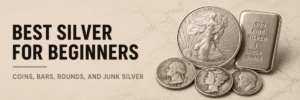
Learn the best silver for beginners, including silver coins, bars, rounds, and junk silver, so you can choose a first purchase with confidence.
Now that you understand more about precious metals, Veldt can help you take the next step. Buy gold and silver online, use supported cryptocurrencies at secure checkout, or contact us for local help choosing the right bullion for your goals.
|
Gold: 4,686.77 | Silver: 88.00 | Platinum: 2,169.49 | Palladium: 1,506.86
|